

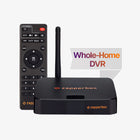
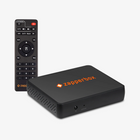


Can ZapperBox DVRs be used without a connected TV ?
The best part of developing the ZapperBox product is the freedom it has given us to implement our own ideas, the interactions we have with customers, and the customer generated ideas that we get to incorporate back into our products. One suggestion that has been coming up repeatedly is the idea of using the ZapperBox without a directly connected TV. The ability to put the ZapperBox in a closet and operate it remotely. This capability is also important for the development of apps for smart TV ecosystems like Roku, LG, Samsung, Google, etc.
We found this Interesting 7” TV monitor https://amzn.to/47ezJqd that offers a stopgap solution until every aspect of the ZapperBox can be used without a connected TV. Such a device is sometimes called a “headless gateway”. This got us thinking about our headless gateway roadmap. Where are we and how much further do we have to go? In the process we came up with some terminology to help describe the milestones to a true headless gateway.
In the ZapperBox distributed gateway model, all devices are peers as explained in this blog post. All devices run the same software that adapts to their different hardware capabilities.
Here are the feature milestones as we see them today:
✅ Remote Playback:
When we launched the Zapper Mini and v3.0 we took the first step on this journey. The remote playback feature allowed ZapperBox devices to play back recordings from each other’s storage. To facilitate this, we added the concept of shared storage.
✅ Live TV on Mini:
With v3.3 we added the concept of shared tuners and live TV on a remote device. With v3.4 we enhanced v3.0 and v3.3 to allow secure content, protected by DRM, to be shared with “devices without tuners” aka the Zapper Mini.
✅ Schedule Recording from Mini:
With the v3.5 release, named “Couch Potato”, we added the ability for the Mini to schedule recordings on remote DVRs.
✅ DVR-to-DVR Live TV:
With v3.7 we added the ability for two DVRs to watch Live TV from each other’s tuners. You can also put a remote DVR in standby (v3.8) if doing so will free up a tuner. If all tuners are being use for recordings, you will not be able to put the remote DVR in standby.
Remote Channel Scan:
This will allow you to initiate a channel scan on a remote DVR.
Remote Settings Menu Control:
The ability to control all the settings on a remote DVR and view its signal meter.
Remote Reboot:
The ability to reboot a remote ZapperBox.
Remote First Time Setup:
The ability to run First Time Setup on a remote DVR without a connected TV. This final step will truly enable a ZapperBox to be placed anywhere without worrying about the proximity of a TV.
Disclaimer: All version numbers here are speculative. No dates, version numbers, or features are guaranteed unless we publish them on our release notes page here.


