



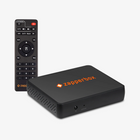


Yes. You can use two devices side by side. Use one of these two techniques.
1. The easy method is called Tick-Tock. Keep one ZapperBox off and keep the other one on. When you press the red power key on the remote, the two devices will tick-tock. The one that was off will turn on, and the one that was on will turn off.
2. If you want to keep both (or more) devices on, use "Settings->Themes & Options->Disable IR Input”. Each ZapperBox will produce a unique 6-digit code. When you enter the code, one box will disable its IR input. To switch devices, first disable the IR enabled device and then enable the IR disabled device. See a short demo video at this link.


