

- Use a single email address when sending a support email. That way information isn’t scattered and missed by our support team.
- Use the same, concise subject line. Summarizing what’s happening like “channel 5.1 not working” or “DVR recording problem”. If you change the subject line, our support system opens a new support ticket and responses get delayed.
- If you don’t hear from us, check your spam folder.
- Avoid phone calls if possible – it’s better to send a support email about the issue, then follow up with a call if needed.
- Include your device ID* – especially if you do not have a guide subscription and didn’t buy direct from us.
-
Try to describe what’s happening.
- Live TV viewing issues please include dates/times/programs and what is happening.
- DVR viewing issues please include the recording program name, date/time you were watching it, and what is happening.
-
Try using ZapAI our support chatbot. It’s getting better with time. It mines our website and thousands of past support emails. Sometimes it hallucinates or uses outdated information, but you can ask it to forward your concern to us.
We don’t outsource or offshore support because we think it is as important as product development.
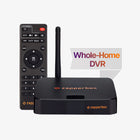
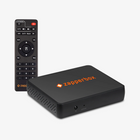
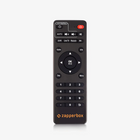
*The Device ID can be found on the bottom of your ZapperBox or press the Menu button on your remote. Select “About->Device Info”. It is the third item.
57. Any tips for getting prompt customer support?
